
Find & Apply for Campaigns
This is how you find brands who want to work with creators like you, and how to send your application.
Click "Discover" at the top of the page
Log in at home.inscend.app. At the top of the screen, click "Discover".
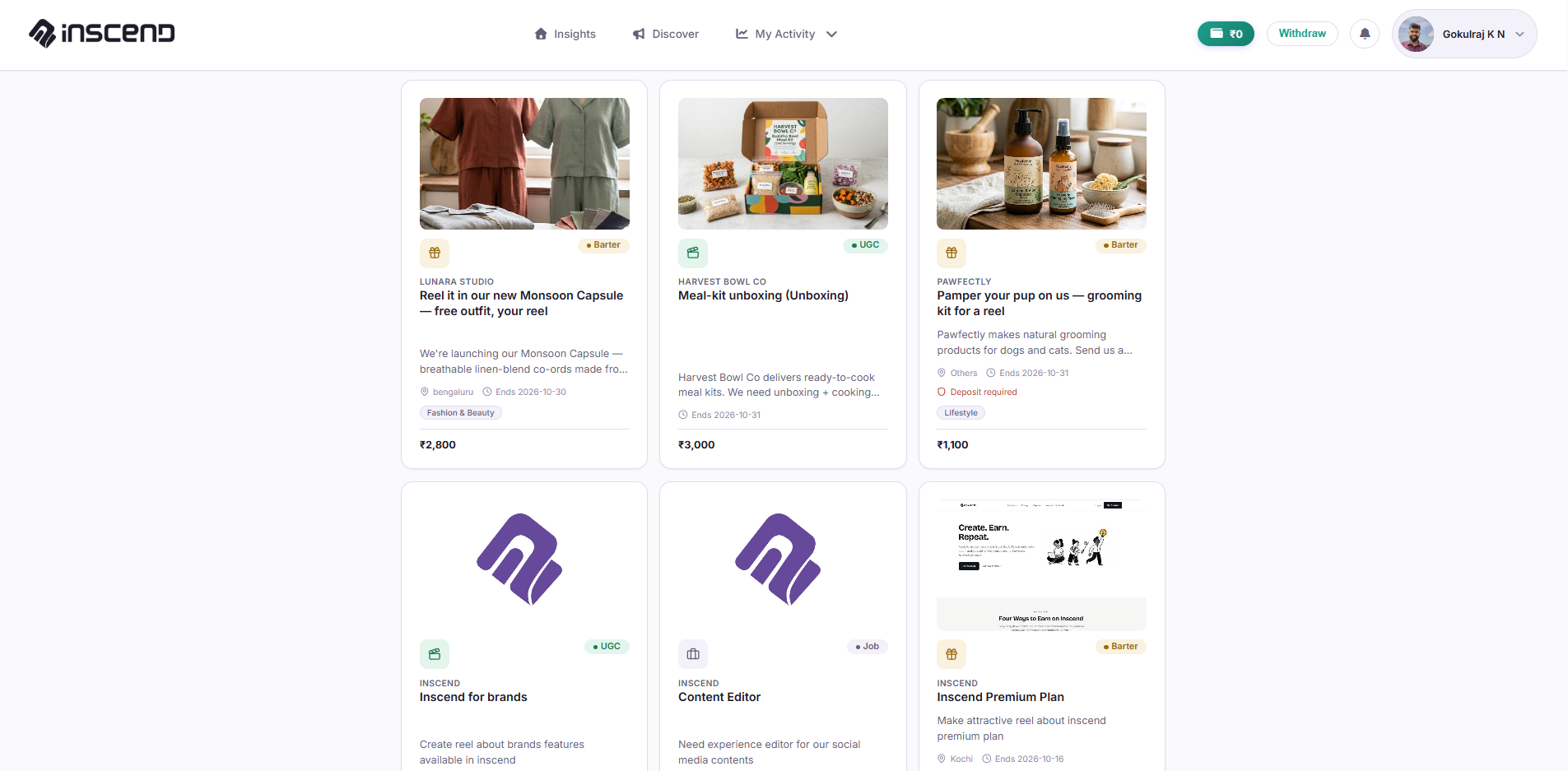
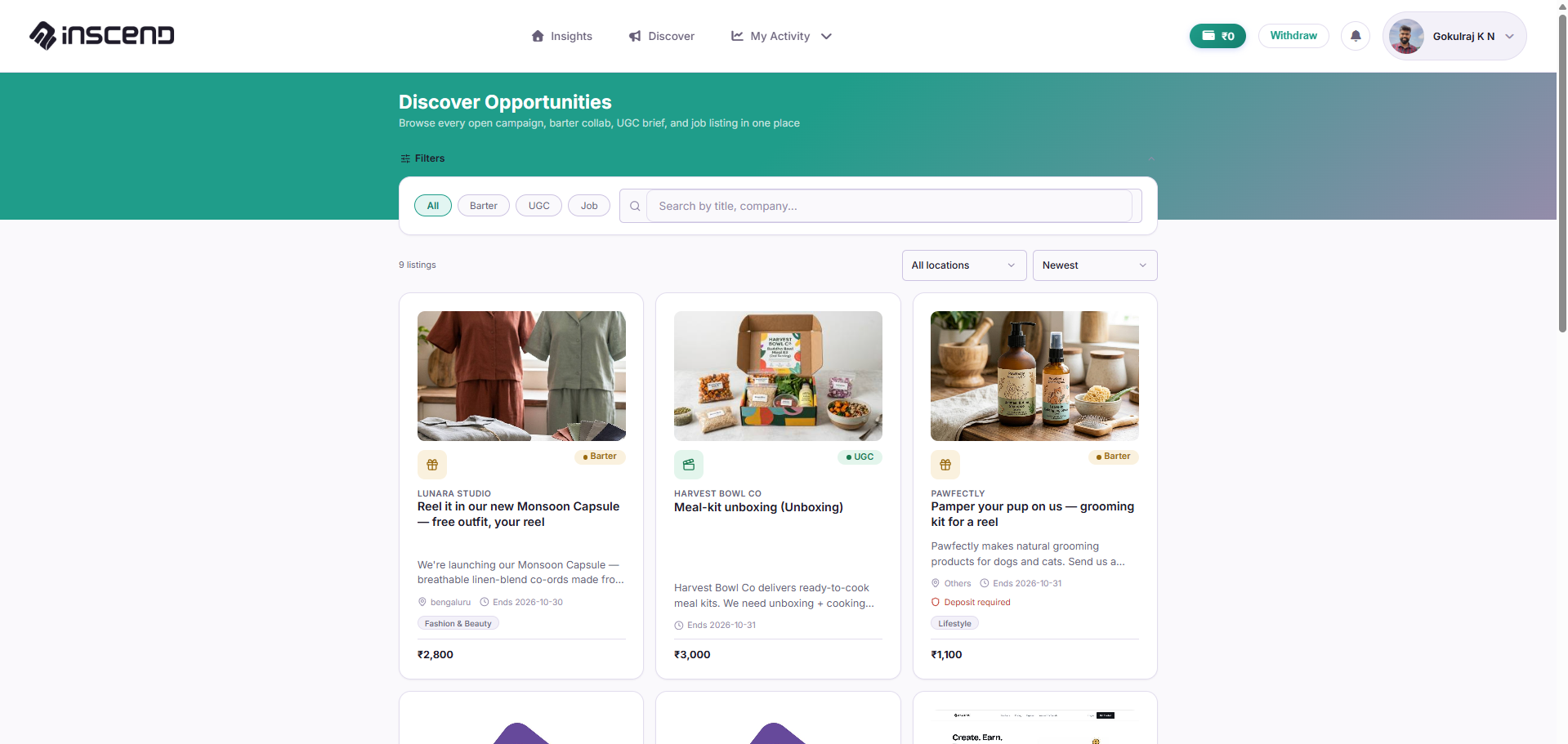
This page shows every open campaign from every brand on Inscend.
Look through the campaign list
Each card on this page is one campaign from one brand. Each card shows:
- The brand's name and product
- What kind of collab it is (Paid Campaign, Barter, or UGC — see our Types of Collabs guide)
- How much you could earn, or what product you would get
Open a campaign to read the details
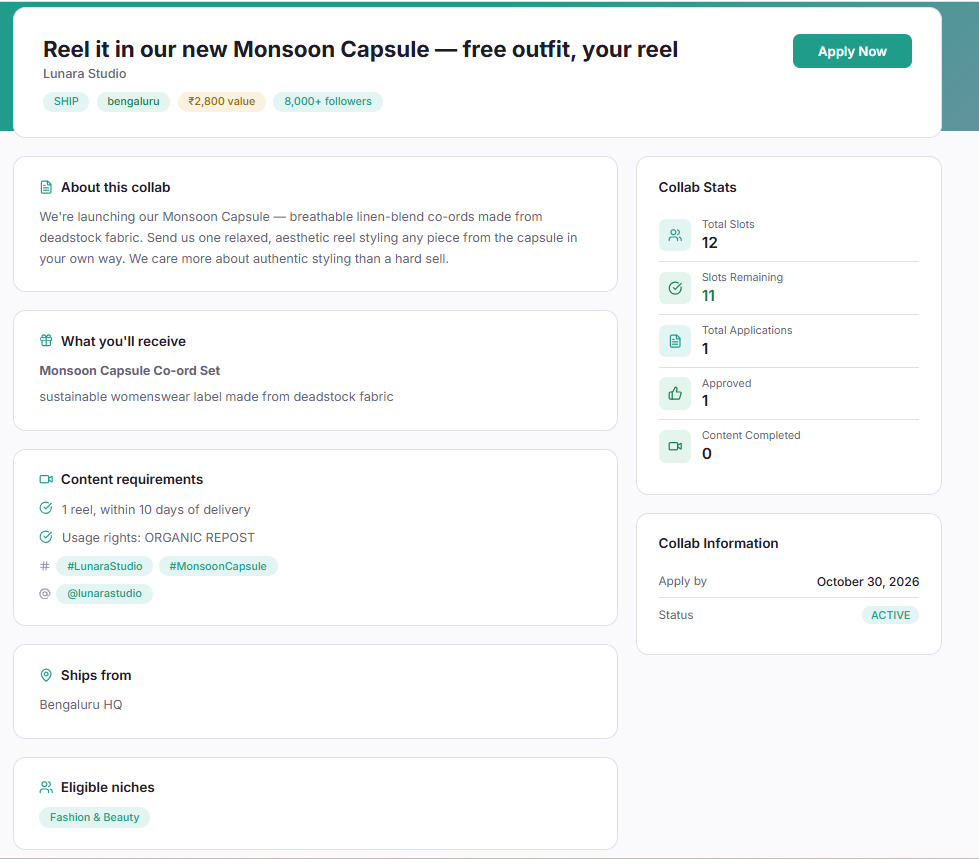
Click on a campaign card that looks interesting. This opens the full details page. Read it carefully. It will tell you:
- Exactly what to post (photo, reel, or video)
- What to say or show about the product
- The deadline for posting
- How much you get paid, or what free product you receive
Click "Apply"
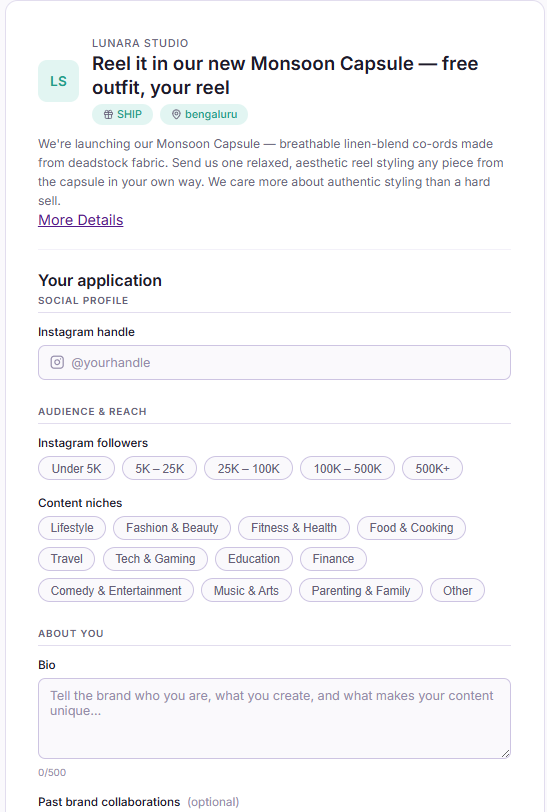
If you like the campaign, click the "Apply" button. You may be asked to write a short message to the brand, telling them why you're a good fit.
Wait for the brand's answer
The brand will look at your application. You will get a notification when they approve or decline it.
You can check the status any time. See our guide on Track Your Applications.
Still stuck?
Our team is happy to help you directly. Reach out any time.