
Get Paid & Withdraw Money
Once a brand approves your content, money is added to your Inscend balance. This guide shows you how to move it to your bank account.
Find your earnings balance
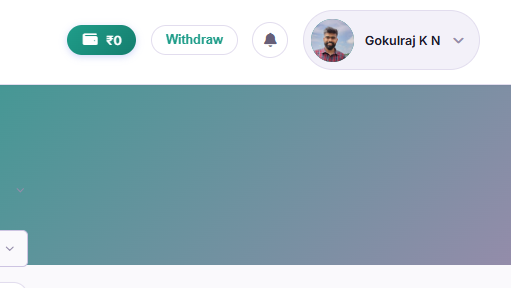
Log in at home.inscend.app. Look near the top of the screen, next to your name. You will see a rupee amount — this is the money you've earned so far.
Click "Withdraw"
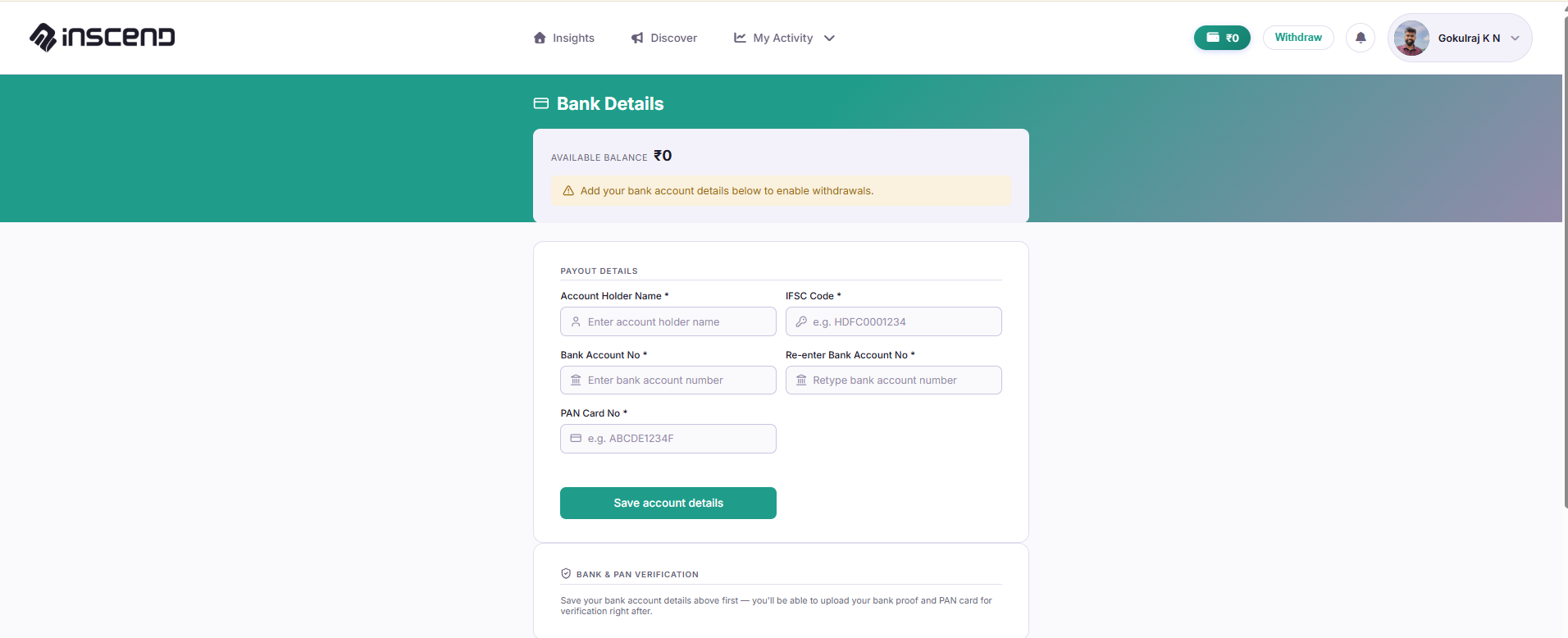
Click the "Withdraw" button next to your balance. This takes you to the Bank Details page. You can also reach this page from your profile menu under Account → Payment → Bank Details.

Add your bank account (first time only)
If this is your first time withdrawing, add your bank details:
- Bank account number
- IFSC code
- Account holder name (must match your bank exactly)
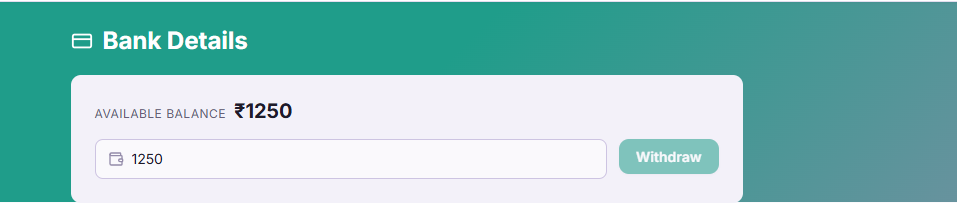
Enter the amount and confirm
Type in how much money you want to withdraw. Click "Withdraw" to confirm.
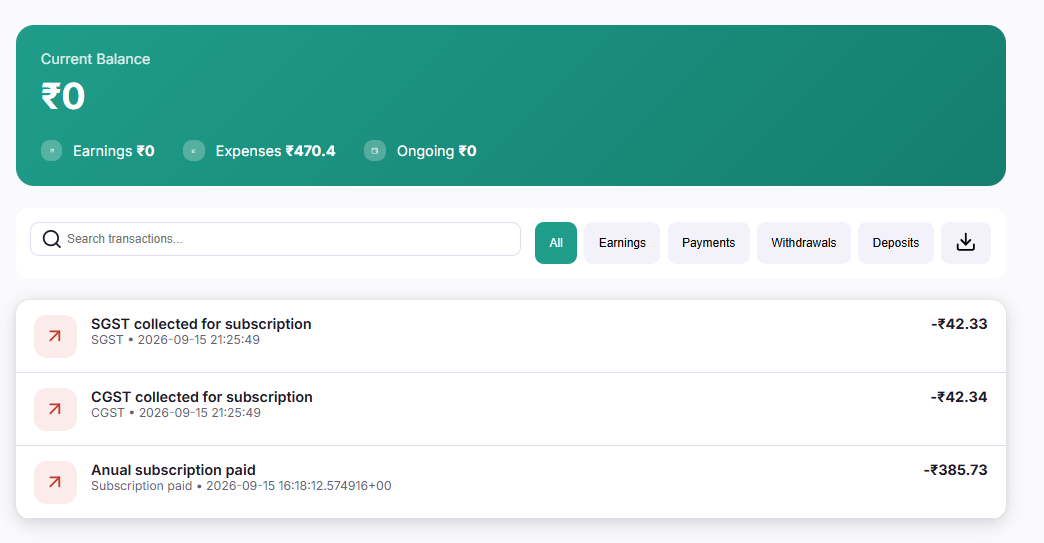
Check your transaction history
Want to see every payment, earning, and withdrawal you've ever made? Go to Account → Payment → Transactions. Every entry is listed there with a date and amount.
Still stuck?
Our team is happy to help you directly. Reach out any time.