
Submit Your Content
You got approved and made your post or video. Now here is how you tell the brand it's ready.
Make your content first
Follow the brief exactly as the brand wrote it. This means filming or writing exactly what they asked for.
- Paid Campaign: Post the reel/photo on your own Instagram.
- Barter: Post about the free product on your own Instagram.
- UGC: Just film the video. You do not need to post it anywhere.
Open "My Activity"
Click "My Activity" at the top of the page. Choose the list that matches your collab: My Jobs, My Barter, or My UGC Applications.

Find your approved application
Find the application that says "Approved". Click on it to open it.
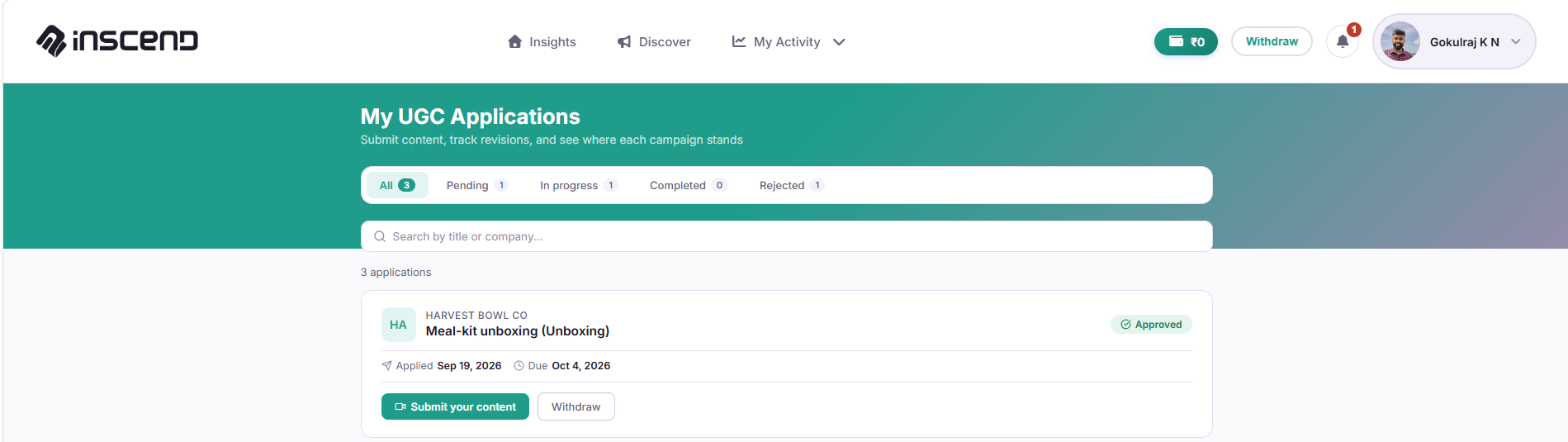
Add your post link or upload your video
Depending on the collab, you will either:
- Paste the link to your Instagram post or reel, or
- Upload your photo or video file directly
Double-check the link opens correctly before you submit.
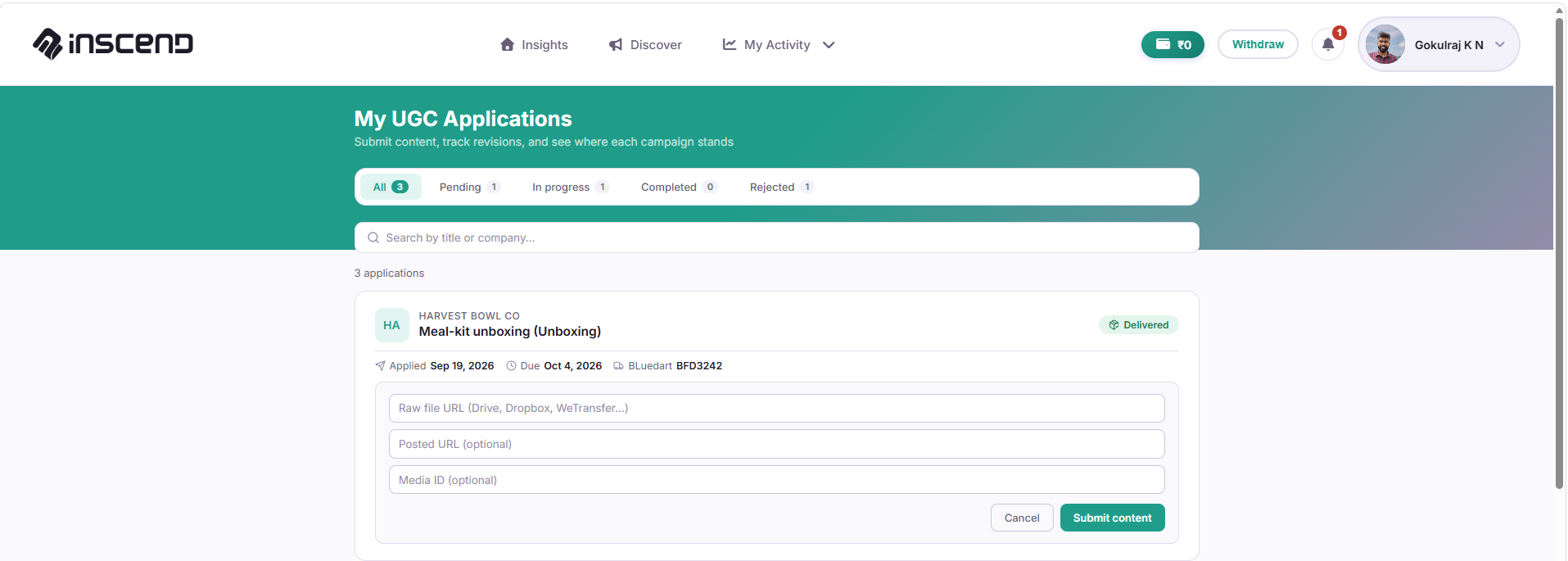
Click Submit and wait for approval
Click "Submit". The brand will review your content. You will get a notification when they approve it.
Once approved, your payout is on its way. See Get Paid & Withdraw Money to learn how to move it to your bank.
Still stuck?
Our team is happy to help you directly. Reach out any time.